
Medical Questionnaire System
About the System
What Is the Medical Questionnaire System?
Initiatives such as work style reform have increased the importance of reducing hospital staff workload. Our system helps reduce data entry for staff and patients and shorten patient waiting times.
We develop questionnaire content to meet each hospital's needs through detailed discussions with its staff.
The basic workflow is as follows:
- The patient completes the questionnaire.
- Staff review the responses.
- The responses are transferred to the notes section of the electronic medical record.
Patients can complete the questionnaire in either of two ways:
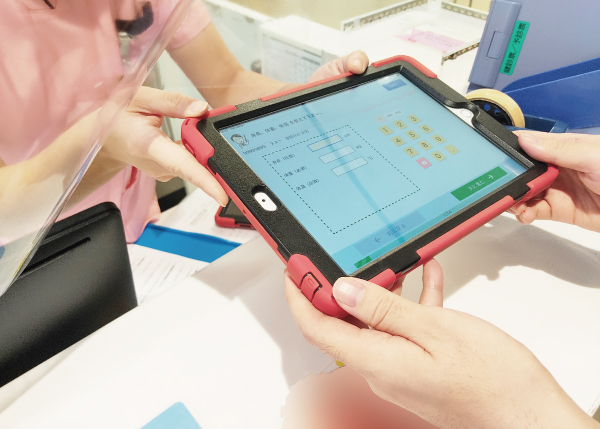
- Using an iPad provided by the hospital
- Using their own smartphone, through the hospital website or by scanning a QR code displayed in the hospital
Features
1. Integration with Electronic Medical Records
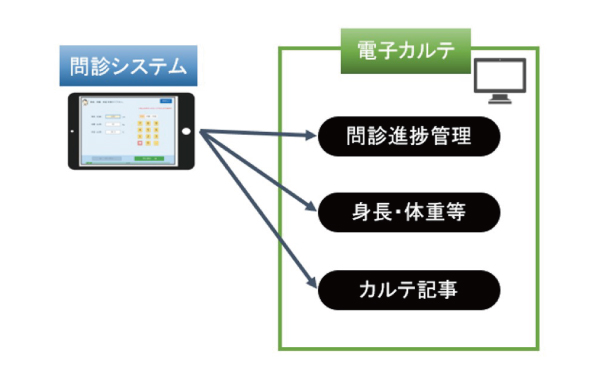
We provide seamless integration with electronic medical records. Key features include:
- Tracking questionnaire completion progress
- Automatic transfer of height, weight, vital signs and other information into medical notes (automatic transfer can be switched on or off)
2. Pre-Visit Questionnaires
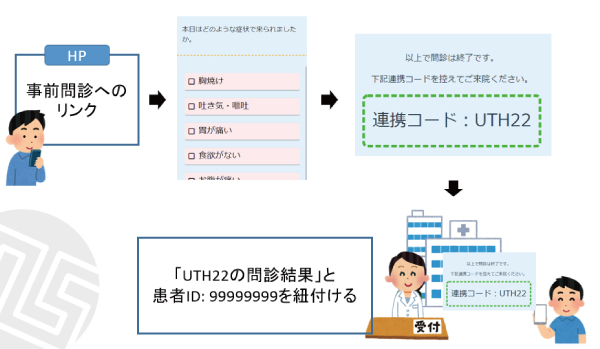
By adding a link to the questionnaire page on its website, a hospital can allow patients to complete the questionnaire before their visit.
A linking code is issued when the questionnaire is completed. Linking it to the patient's ID on arrival allows the data to be imported into the electronic medical record.
3. OCR for Medication Record Books
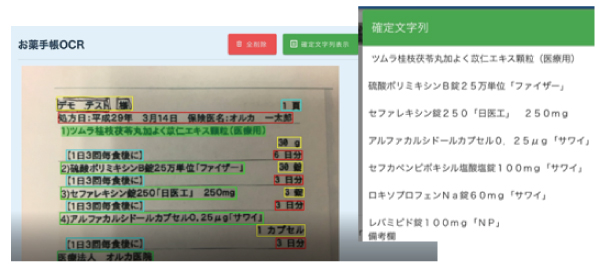
Optical character recognition (OCR) converts printed characters into digital text.
An iPad camera can photograph a medication record book, analyse its text and convert it into digital characters, assisting with the entry of medication records.
Functions
Questionnaire Screen
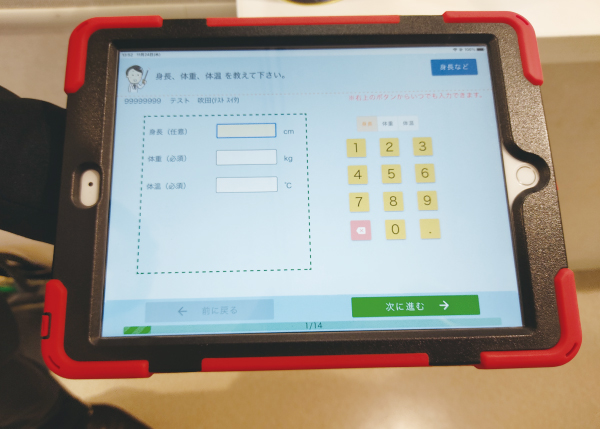
- iPad input: intuitive operation using the touch screen.
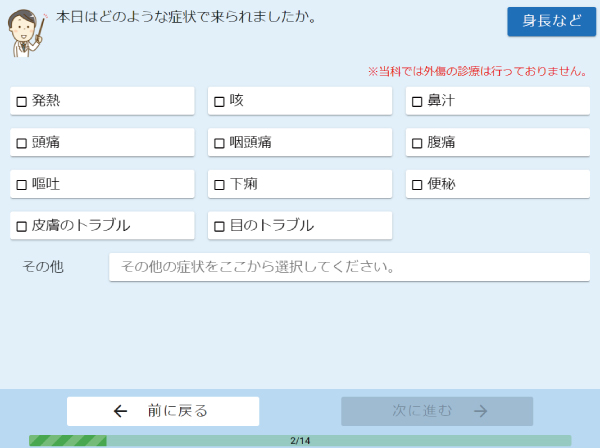
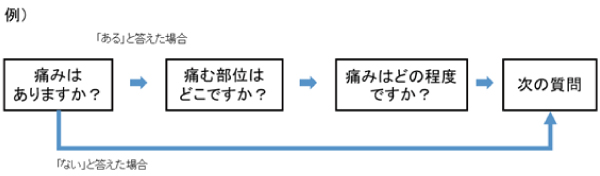
- Conditional questions: dynamically display the next question according to the selected answer.
- OCR: convert photographed characters into text.
- Photography: record images of injuries and other conditions.
- Pre-visit questionnaires: let patients complete questionnaires before arriving.
Questionnaire Results Management
- List view: display results for patients who completed a questionnaire that day.
- Results details: view the information entered by each patient.
- Editing: staff can edit questionnaire responses after the data has been saved.
Electronic Medical Record Integration
- Medical notes: import questionnaire information.
- Image retrieval: import iPad photographs of medication record books and injuries.
System Requirements
iPad: 10.2-inch iPad (7th generation or later)
Browsers:
- Google Chrome version 85 or later
- Microsoft Edge version 85 or later
- Google Chrome for Android version 85 or later
- Safari on iOS version 13.4 or later
Network protocol: HTTPS
Implementation Process
Contact the Information System Department by phone or through the contact form.
Arrange a meeting to discuss your requirements.
We prepare a demonstration and provide a quotation.
Application and contract
Finalise the questionnaire through several meetings. (A trial implementation is not offered.)
Training and rehearsal
Start of operation
Maintenance
Implementation Record
| Implementation Date | Hospital | Address |
|---|---|---|
| April 2021 | Suita Tokushukai Hospital | 21-1 Senrioka-nishi, Suita, Osaka |
| May 2022 | Fukuoka Tokushukai Hospital | 4-5 Sugukita, Kasuga, Fukuoka |
| June 2022 | Kishiwada Tokushukai Hospital | 4-27-1 Kamori-cho, Kishiwada, Osaka |
Contact Us
Contact Us by Phone
06-7222-8386
Weekdays, 9:00–17:00 (development team)